Objectives
- To practice HTML.
- To practice CSS.
Overview
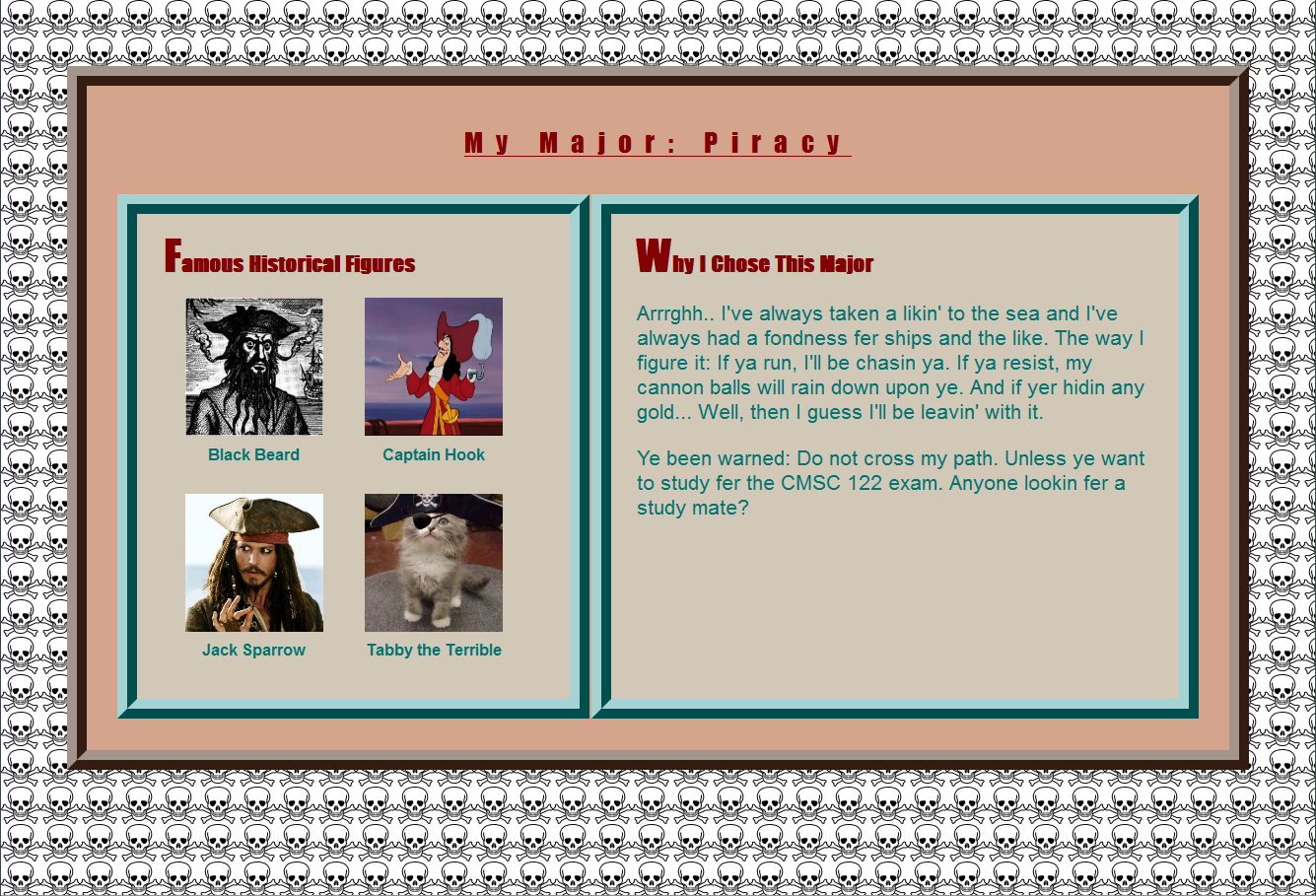
For this project you will create a webpage about your major. It will look
very similar to the example,
shown here.
Warning: This project requires a significant amount of time. Please start working on
the project early. Office hours get busy during the few days before
the project is due, and you may not get the help
you need if you wait too long. As always, we will not grant project extensions due to
technical problems on your end.
Hints
- The easiest way to create the whole layout is to use a table inside of another table.
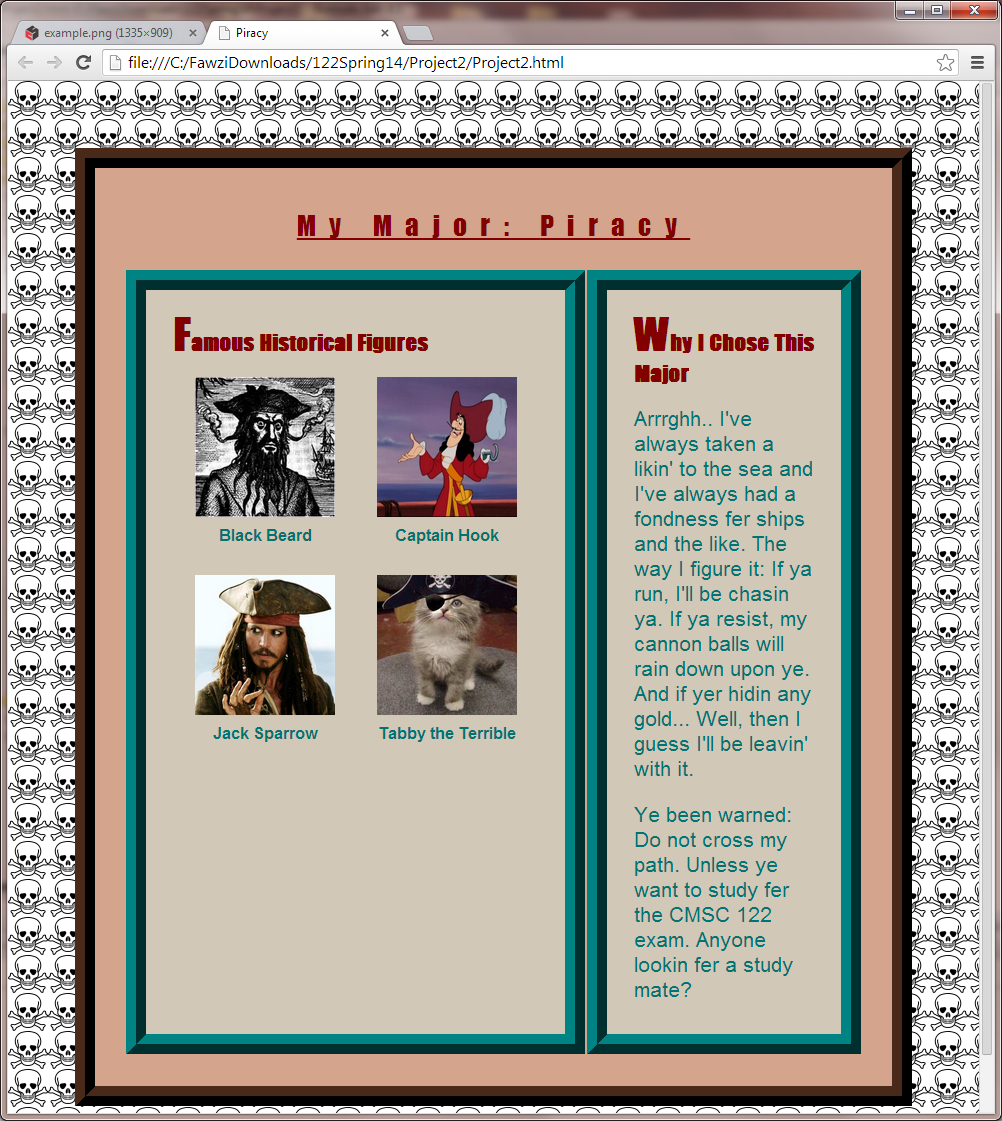
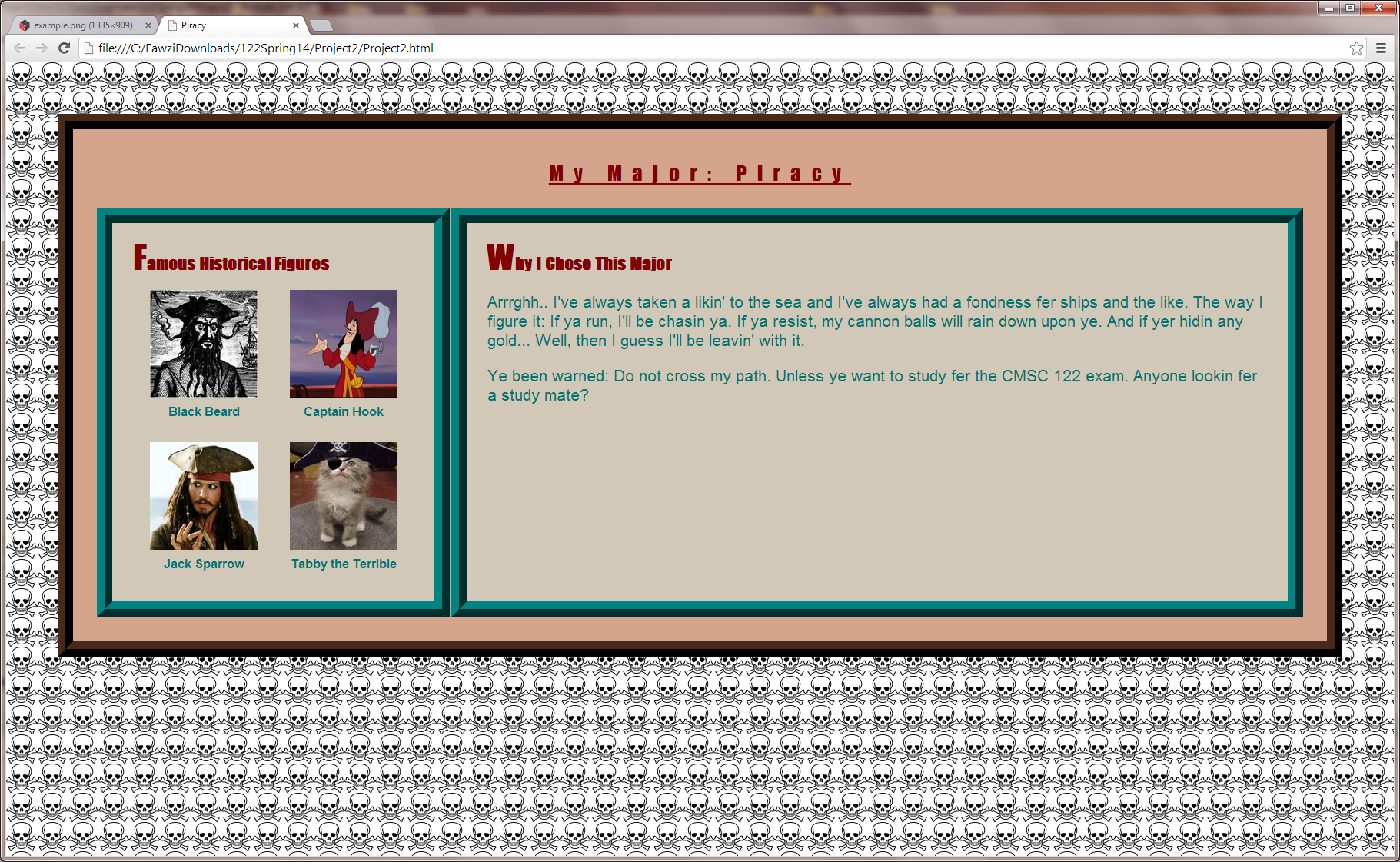
- Notice that the margin at the top, left, and right of the page stay the same size, even when the webpage is resized.
- If you are having trouble getting an element to align either at the top or the bottom of its container, you might
try setting the "vertical-align" property instead of adjusting margins/borders.
Requirements:
- You must create two files, named: proj2.html and proj2.css. The
HTML file will link to the CSS file, as usual.
- All of your style properties must be defined in the CSS file. You will lose
points for any style properties defined in the HTML file.
- Your webpage must look exactly like the sample page, except:
- You must change the text to be about yourself and your major.
- You must include photos and captions that are relevant to your major.
- You may use any colors that you want.
- You must find a small image to use for the background. The image should be "tiled"
(repeated) so that it fills the entire background, both horizontally and vertically.
- The images of "historical figures" should be rendered as squares of size 140px by 140px.
(Be sure these sizes appear in your CSS file, not in your HTML file!)
- The only fonts you may use are arial and impact. You must use these fonts
in the same way that we have, and incorporate the same stylistic features that we have
including underlining the heading and
making the first letter appear very large in the two sub-headings.
- Items that appear centered in the example must be centered in your page.
- IMPORTANT: The page must look correct when it is resized.
- You must use the same style and width that we have used for borders.
- Both your html and your CSS must validate according to these validators:
- You must use proper indentation.
- Be sure to test your project with the Chrome browser -- that is how we will test it.
- You may not use any authoring tool (Dreamweaver, Frontpage, etc.) that generates the HTML for you.
- You must implement this project by yourself.
- When referencing your images, be sure to use just the name of the image, not a complete path name.
- DO NOT POST YOUR SOLUTION TO THIS PROJECT ON ANY WEB SERVER.
Submission
To submit your project, follow these steps:
- Create a zip file that includes seven files:
- proj2.html
- proj2.css
- The four images of historical figures
- The image you used to create the background
- Upload the zip file using the submit server available at: https://submit.cs.umd.edu/.
Make sure you select the submit server entry (Project #2) that
corresponds to this project.
- After submitting your project, make sure you download from the submit
server the submitted file and verify that what you have submitted is
correct. Important: you must uncompress (extract) what you download
from the submit server, otherwise you will not see images that are
part of your project. We will not accept projects sent via e-mail.
Academic Integrity
Please make sure you read the academic integrity section of the syllabus
so you understand what is permissible in our projects. We want to remind you
that we check your project against other students' projects and any case of
academic dishonesty will be referred to the University's Office of Student Conduct.
Web Accessibility