The Doctor’s application underwent very little remodeling
from the low-fidelity to high-fidelity prototypes. The basic ideas remained,
with slight modifications.
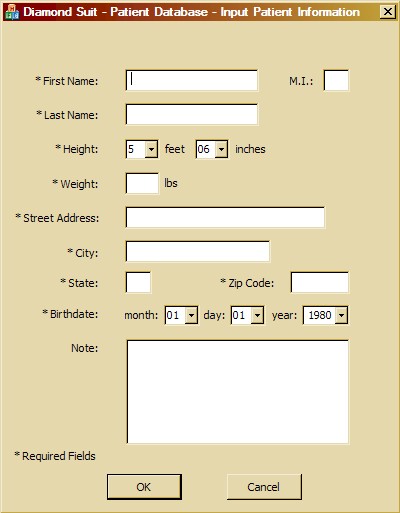
Screen 1 – Input Patient Information
T he first screen of the Doctor interface. More information was requested
from the user from the low-fidelity to high-fidelity prototypes. Also,
the required fields were marked, enabling the user to know what must
be inputted. Coinciding with the required fields was error-checking
that made sure that the text inputted into each box made sense to what
was asked (i.e. zip codes must be 5 digits, age must be numbers only,
etc.).
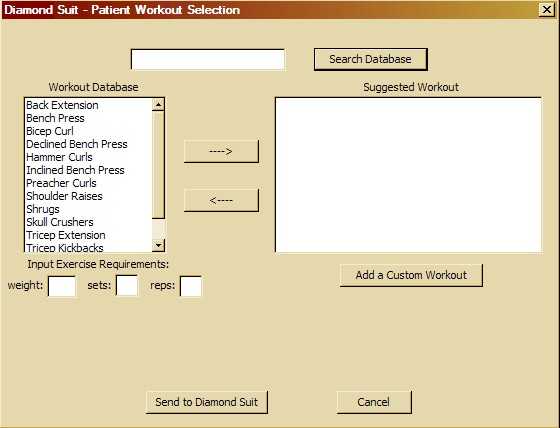
Screen 2 – Patient Workout Selection
T he second and final screen in the doctor’s interface. The two
search functions that appeared in the low-fidelity prototype became
one search function that allowed the user to only search the workout
database (left side of screen). Text boxes were implemented that allowed
the user to input the specific weight, number of sets, and number of
reps for each exercise. Also, a button that allows the user to create
a custom workout was put in to enable the doctor to add more exercises
than are in the database originally.